12 Best URL Shorteners in 2026 (Free & Paid, Tested)
Last updated on: June 6, 2026
Have you ever tried sharing a lengthy URL only to find it breaking across multiple lines or eating up precious character space in your social media posts? Long URLs are messy, unprofessional, and frustrating to manage. Whether you are a social media manager, digital marketer, or business owner, you need a reliable way to make your links more manageable and trackable.
In 2026, URL shorteners have evolved well beyond simple link compression. The best tools now offer real-time click analytics, custom branded domains, QR code generation, Link in Bio pages, and AI-powered link intelligence. We tested 12 of the top URL shorteners so you do not have to.
What changed in 2026: X (Twitter) tightened link-preview policies, making branded short domains more important than ever. Several major shorteners raised prices. And free-tier analytics — once rare — are now a baseline expectation from users.
Quick Comparison: 12 Best URL Shorteners (2026)
Here is how all 12 tools compare across the features that matter most in 2026:
| Tool | Best For | Free Plan | Analytics | Custom Domain | QR Code | Bulk | Starting Price |
|---|---|---|---|---|---|---|---|
| URLdn | Analytics + Branding | Yes | Yes | Yes | Yes | Yes | Free |
| Bitly | Enterprise & Branding | Yes | Yes | Yes | Yes | Yes | $35/month |
| TinyURL | Basic Shortening | Yes | Paid only | Paid only | Yes | No | $9.99/month |
| Rebrandly | Custom Domains | Yes | Yes | Yes | Yes | Yes | $19/month |
| Short.io | Advanced Analytics | Yes | Yes | Yes | Yes | Yes | $24/month |
| Ow.ly | Social Media Teams | Via Hootsuite | Yes | No | No | Yes | $29/month |
| BL.ink | Enterprise Analytics | No | Yes | Yes | Yes | Yes | $48/month |
| Cuttly | Link Management | Yes | Yes | Yes | Yes | Yes | $14.99/month |
| T2M | Bulk Shortening | Yes | Yes | Yes | Yes | Yes | $17/month |
| Shorby | Instagram Bio Links | No | Yes | Yes | No | No | $12/month |
| ClickMeter | Conversion Tracking | Yes | Yes | Yes | Yes | Yes | $29/month |
| Polr | Self-Hosted | Open Source | Basic | Yes | No | Yes | Self-hosted |
In-Depth Reviews: 12 Best URL Shorteners in 2026
1. URLdn — Best Free URL Shortener with Analytics in 2026
URLdn is our top pick for 2026 — especially for marketers, founders, and creators who need real link intelligence without paying enterprise prices. Unlike most shorteners that lock analytics behind a paywall, URLdn gives you click tracking, geographic data, device breakdowns, and referrer sources on the free plan.
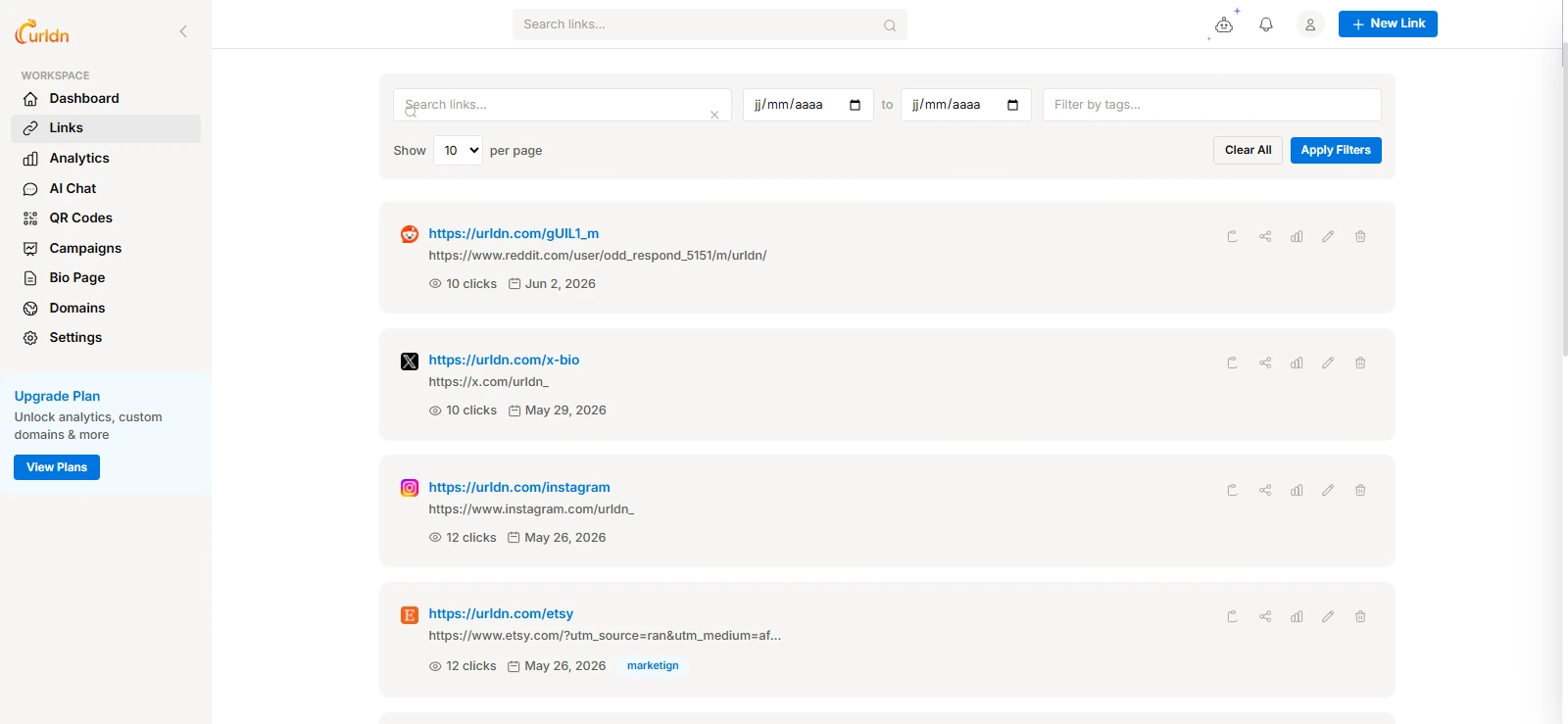
Beyond basic link shortening, URLdn is a full link management platform. You get a built-in QR code generator, custom link aliases, and a Link in Bio feature — all under one roof. The interface is clean and fast, and there is no account required for basic shortening.
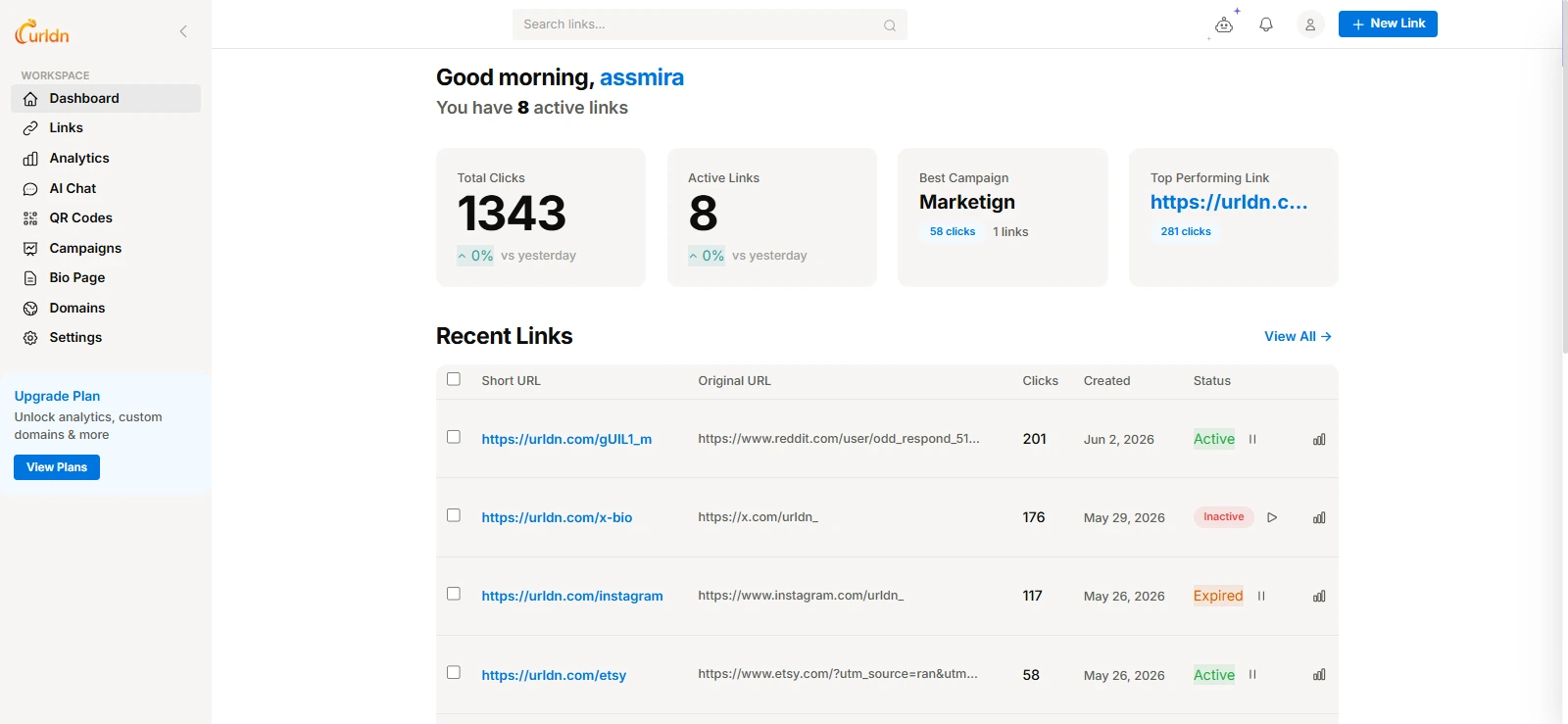
What makes URLdn stand out from every other tool on this list is its AI-powered link intelligence layer. After shortening your links, you can ask the built-in AI analyst questions about your link performance in plain English — no dashboards to learn, no exports needed. Ask things like "Which links drove the most traffic last week?" or "What country clicks my links the most?" and get an instant answer.
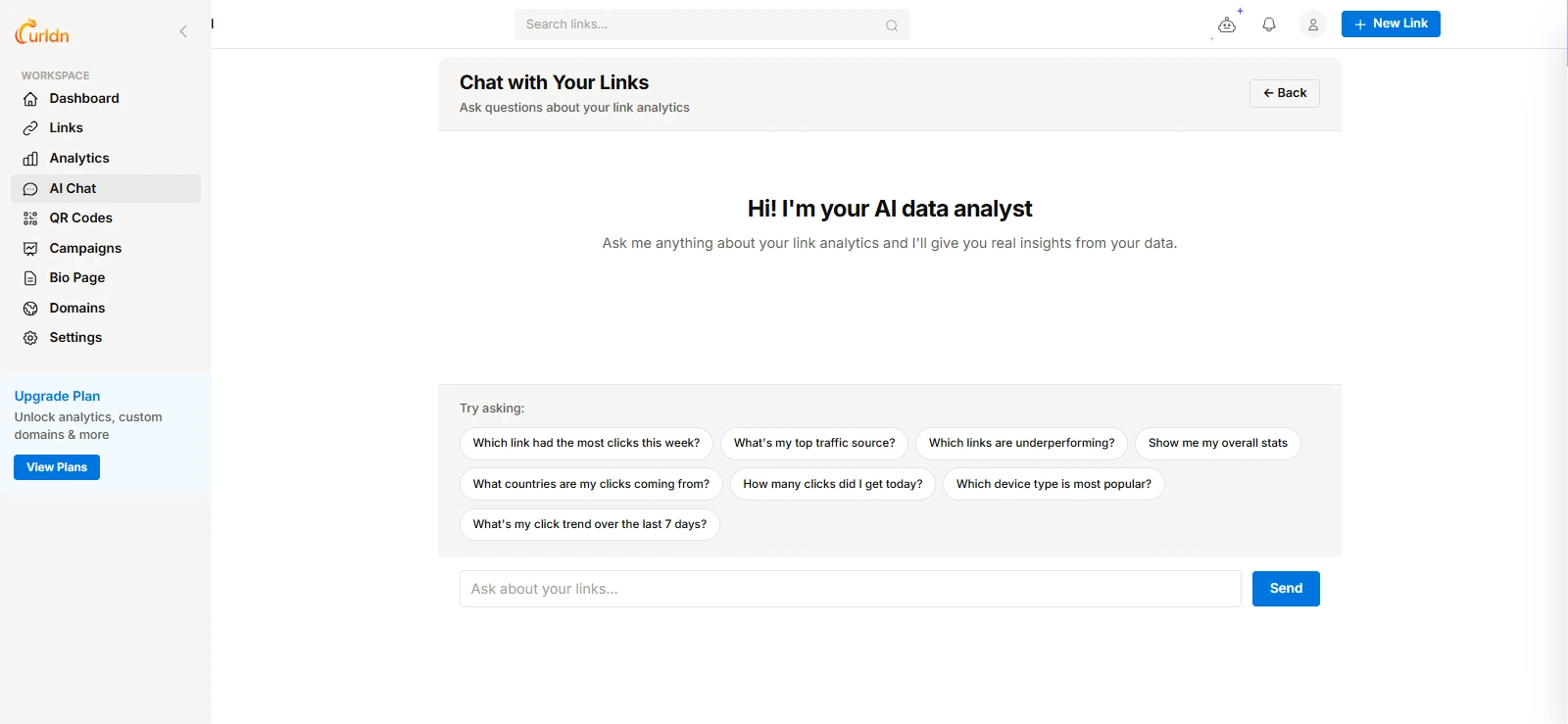
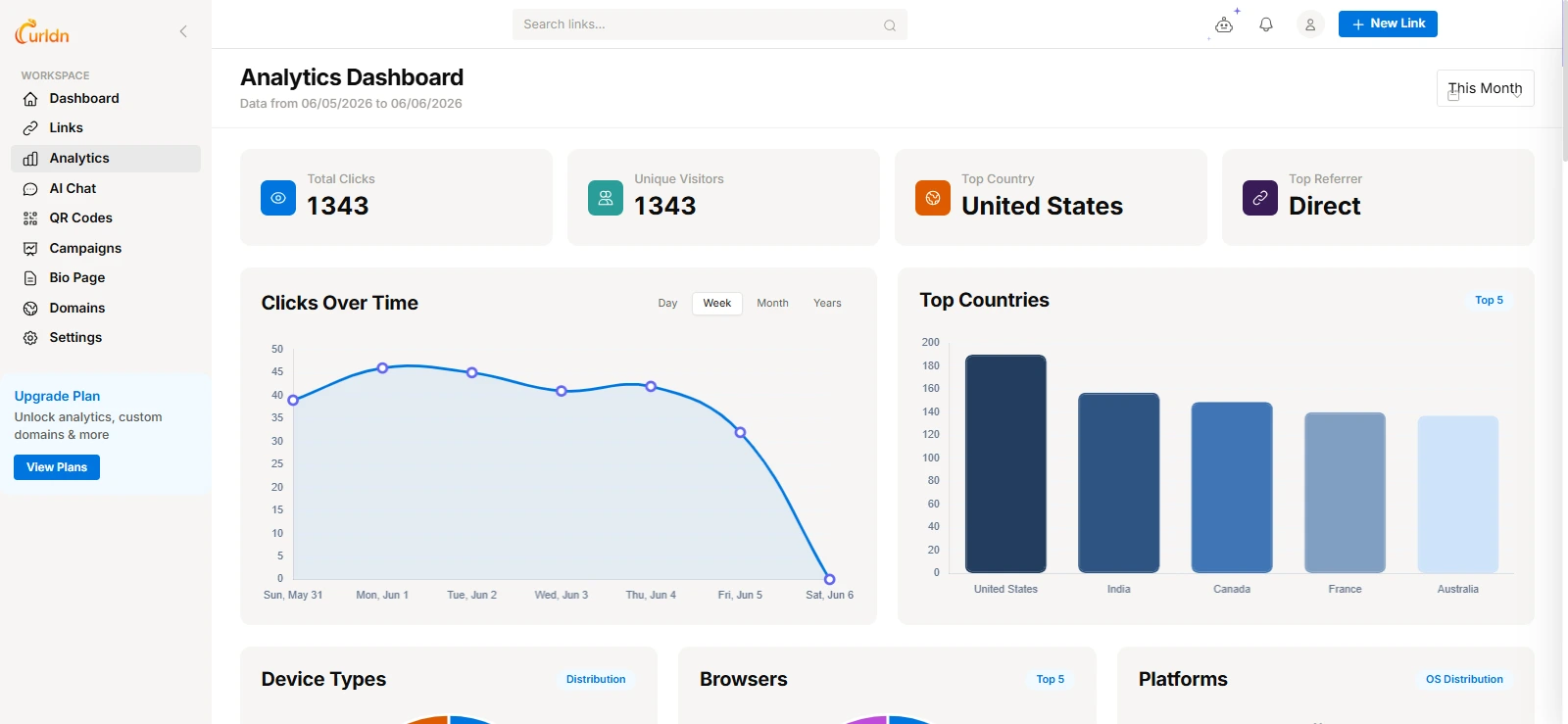
The analytics dashboard tracks every click across all your shortened links. You can see total clicks, unique visitors, geographic breakdown by country and city, device and browser data, and the referrer sources driving traffic to your links — all updated in real time.
URLdn also includes a Link in Bio page builder, letting you create a single branded page that houses all your links — ideal for Instagram, TikTok, or any platform that limits you to one link in your bio. Each link on the page is individually tracked.
In 2026, URLdn is launching URLdn Pro — with advanced analytics dashboards, custom branded domain support, and API access. Early signups on the Pro waitlist receive 3 months of Pro for free.
Pros:
- Free plan includes full click analytics
- AI analyst for plain-English link insights
- QR code generator built-in
- Custom link aliases
- Link in Bio pages with per-link tracking
- No account required for basic shortening
- Fast redirect infrastructure
Cons:
- Pro features still in early access
- Custom branded domains coming with Pro launch
Best for: Founders, marketers, and creators who want a free all-in-one link platform with real
analytics.
Free plan: Yes — includes analytics, QR codes, and AI analyst
Pricing: Free (Pro coming soon)
2. Bitly — Best for Enterprise and Brand Management
Bitly remains the most recognized name in URL shortening. It is built for teams and enterprises that need reliable branded links at scale. In 2026, Bitly raised its base pricing to $35/month and added deeper integrations with HubSpot, Salesforce, and Zapier.
The analytics dashboard is comprehensive — tracking clicks by geography, device, referrer, and time. Custom branded domains are straightforward to configure, and the API is well-documented for developers. However, the free plan is now limited to just 10 shortened links per month, making it impractical for most users without a paid subscription.
Pros:
- Industry-standard reliability
- Branded domain support
- Deep integrations with major marketing tools
- Detailed analytics dashboard
Cons:
- Expensive for individuals and small teams
- Free plan reduced to 10 links/month in 2026
- Analytics locked behind paid plans
Best for: Marketing teams and enterprises.
Free plan: Yes (very limited — 10 links/month)
Pricing: From $35/month
3. TinyURL — Best for Quick, No-Frills Shortening
TinyURL is one of the oldest URL shorteners on the web. It serves a simple purpose: make long links short, fast, with no account required. It is not built for marketers or analytics — it is for anyone who needs a short link right now without signing up for anything.
The free plan gives you unlimited shortened links with basic custom aliases. Analytics and custom branding are only available on paid plans. In 2026, TinyURL added basic QR code generation to all accounts, including free.
Pros:
- No account required
- Unlimited free links
- QR codes now available on free plan
- Very simple interface
Cons:
- No analytics on the free plan
- No custom domain on the free plan
- Not suitable for marketing or campaign tracking
Best for: Casual users who just need a quick short link.
Free plan: Yes
Pricing: From $9.99/month
4. Rebrandly — Best for Custom Branded Domains
Rebrandly is purpose-built for branded link management. If your primary goal is using your own domain for short links
— for example go.yourbrand.com/summer-sale — Rebrandly offers the most polished experience for that
specific use case.
The platform supports multiple custom domains per account, advanced UTM parameter management, and team collaboration features. The free plan allows one custom domain and up to 25 branded links, which is enough to get started but limiting for active campaigns.
Pros:
- Best-in-class custom domain setup experience
- Multiple domains on paid plans
- Team collaboration features
- UTM builder integrated
Cons:
- Free plan capped at 25 links
- Overkill for individual or casual users
Best for: Brands and agencies managing links across multiple custom domains.
Free plan: Yes (limited)
Pricing: From $19/month
5. Short.io — Best for Advanced Analytics
Short.io is aimed at developers and data-driven marketers who want deep analytics at a reasonable price. You get click data segmented by country, city, browser, operating system, device, and referrer — all updated in real time. It also supports multiple custom domains and offers a well-documented REST API.
The free plan provides unlimited links on a Short.io subdomain with basic analytics. Custom domains require a paid plan. Short.io is a strong alternative to Bitly for teams that prioritize data over brand recognition.
Pros:
- Best analytics depth at its price point
- Real-time click tracking
- Developer-friendly REST API
- Multiple custom domains on paid plans
Cons:
- UI is less polished than Bitly or Rebrandly
- Custom domain requires paid plan
Best for: Developers and data-driven marketers.
Free plan: Yes
Pricing: From $24/month
6. Ow.ly — Best for Social Media Teams Using Hootsuite
Ow.ly is Hootsuite's native URL shortener. It is deeply embedded in the social media scheduling workflow — every link you schedule through Hootsuite is automatically shortened and tracked with Ow.ly. There is no extra step required.
As a standalone tool, Ow.ly is not available without a Hootsuite subscription. But for social media managers who already use Hootsuite, the integration is seamless and the click data connects directly to post performance metrics.
Pros:
- Native Hootsuite integration
- Automatic link shortening during scheduling
- Click data linked directly to post performance
Cons:
- Requires a Hootsuite subscription
- Cannot be used as a standalone tool
- No custom branded domains
Best for: Social media teams already on Hootsuite.
Free plan: Via Hootsuite trial only
Pricing: From $29/month (Hootsuite plan)
7. BL.ink — Best for Enterprise-Grade Link Intelligence
BL.ink is a premium enterprise link management platform. It offers the most detailed analytics in the category — tracking not just clicks but full conversion paths, custom parameters, and campaign attribution across every link. Every plan, including the entry tier, includes custom domain support.
The platform is priced for enterprise budgets. There is no free plan. But for large marketing teams running paid campaigns where every click has measurable dollar value, BL.ink's reporting depth justifies the cost.
Pros:
- Deepest analytics in the category
- Custom domains on all plans, including entry tier
- Advanced campaign attribution
- Strong support for enterprise workflows
Cons:
- No free plan
- Too expensive for small teams or solo use
Best for: Large marketing teams with serious attribution needs.
Free plan: No
Pricing: From $48/month
8. Cuttly — Best for Link Management on a Budget
Cuttly sits comfortably between TinyURL's simplicity and Bitly's price tag. It includes custom branded links, click analytics, a UTM builder, link expiration, and password-protected links — all at $14.99/month on paid plans.
The free plan allows 3 branded links per month with basic analytics, which is genuinely limited. But for small businesses and solo marketers who want branded links without paying Bitly prices, Cuttly's paid plans offer solid value.
Pros:
- Good feature-to-price ratio
- Link expiration and password protection
- UTM parameter builder built-in
- QR code generation included
Cons:
- Free plan extremely limited (3 links/month)
- Less brand recognition than Bitly
Best for: Small businesses who need branded links at an affordable price.
Free plan: Yes (very limited)
Pricing: From $14.99/month
9. T2M — Best for Bulk URL Shortening
T2M is designed specifically for high-volume link management. You can shorten hundreds or thousands of URLs at once by uploading a CSV file, which makes it the default choice for e-commerce teams, affiliate marketers, and agencies managing large link inventories.
Every shortened link includes detailed analytics and is permanent — T2M does not expire links. Custom domains and QR codes are available on paid plans. The free plan is limited to 50 total links, which is enough to evaluate the platform but not for production use.
Pros:
- Best-in-class bulk URL shortening via CSV
- Permanent links — no expiration
- Analytics included on all plans
- Affordable entry pricing
Cons:
- Interface is dated compared to newer tools
- Free plan limited to 50 total links
Best for: E-commerce and affiliate marketers with large link volumes.
Free plan: Yes (50 links total)
Pricing: From $17/month
10. Shorby — Best for Instagram and TikTok Bio Links
Shorby is not a general-purpose URL shortener — it is a bio link page builder for creators and brands on platforms that restrict you to one link. You build a single branded micro-landing page that houses all your destinations: products, content, social profiles, and more.
Each link on your Shorby page is individually tracked, so you know exactly which content drives the most clicks. Custom domains are supported on paid plans. If your main pain point is the one-link limit on Instagram or TikTok, Shorby is purpose-built for you.
Pros:
- Best bio link page builder for Instagram and TikTok
- Per-link click analytics on bio pages
- Custom domain support
- Clean, mobile-optimized page design
Cons:
- No free plan
- Not a general-purpose shortener
- No QR code generation
Best for: Creators and brands on Instagram and TikTok.
Free plan: No
Pricing: From $12/month
11. ClickMeter — Best for Conversion Tracking
ClickMeter goes further than any other tool on this list by tracking not just clicks but full conversions — whether someone completed a purchase, filled a form, or reached a goal page after clicking your link. This makes it essential for affiliate marketers and paid ad campaigns where ROI measurement is the priority.
Additional features include link rotation (split traffic across multiple destinations for A/B testing), retargeting pixel integration, and funnel analytics. The learning curve is steeper than simpler tools, but the depth is unmatched for performance marketing use cases.
Pros:
- Full conversion tracking, not just click counting
- Link rotation for A/B testing
- Retargeting pixel support
- Detailed affiliate and funnel analytics
Cons:
- Steeper learning curve than other tools
- Overkill for basic link shortening needs
Best for: Affiliate marketers and performance advertising teams.
Free plan: Yes (limited)
Pricing: From $29/month
12. Polr — Best Self-Hosted URL Shortener
Polr is an open-source, self-hosted URL shortener for developers who want complete control over their link infrastructure. You install it on your own server, use your own domain, and own all the data. There are no subscription fees — only your server costs.
Polr includes a basic analytics dashboard, a REST API, and user account management. It will not match the polish or feature depth of commercial tools, but for privacy-conscious teams or developers who want to embed link shortening directly into their own products, Polr is a solid and well-maintained open-source foundation.
Pros:
- Completely free to use
- Full data ownership — nothing sent to third parties
- Use your own custom domain
- REST API available
Cons:
- Requires server setup and ongoing maintenance
- No managed support or SLA
- No QR code generation out of the box
Best for: Developers and privacy-focused teams who want full infrastructure control.
Free plan: Open source / self-hosted
Pricing: Free (server costs apply)
Best Free URL Shorteners in 2026
Looking for a free URL shortener that does not strip out all useful features? Most free plans in 2026 have become more restrictive — not less. Here are the options that still offer genuinely useful free tiers:
- URLdn — Free plan includes click analytics, QR codes, and custom aliases. The most generous free tier on this list. No link limits on basic shortening.
- TinyURL — Unlimited free links with no account required. QR codes now included on the free plan. No analytics.
- Short.io — Free subdomain links with basic analytics. Custom domain requires a paid plan.
- Cuttly — 3 branded links per month free, with basic analytics.
- Polr — Fully free if you self-host. Best option for developers who want zero cost and full control.
Best free URL shortener with analytics in 2026: URLdn — the only tool on this list that includes click analytics, geographic data, QR codes, and AI-powered link insights completely free, with no link limits on basic shortening.
Best URL Shorteners with Analytics in 2026
A URL shortener with analytics tells you who clicked your links, when, from where, and on what device. This data is critical for marketers measuring campaign ROI and founders understanding how their content travels across the web.
Best free link shortener with analytics
URLdn is the clear winner for free analytics. You get real-time click tracking, country-level geographic data, device and browser breakdown, and referrer sources — without paying anything. On top of that, the built-in AI analyst lets you ask plain-English questions about your link data instead of digging through dashboards.
Best paid link shortener with analytics
- BL.ink — deepest analytics available, best for enterprise campaigns with strict attribution requirements
- Short.io — best value for developers and data teams who need real-time data with API access
- Bitly — strong analytics with the best third-party integrations (HubSpot, Salesforce, Zapier)
- ClickMeter — the only tool that goes beyond clicks into full conversion tracking
What should a URL shortener's analytics track?
When comparing a link shortener with analytics, look for these data points as a minimum:
- Total clicks and unique clicks
- Click timeline by hour, day, and week
- Geographic breakdown by country and city
- Device type and browser
- Referrer sources — where the traffic is coming from
- UTM parameter passthrough to Google Analytics
Best Bulk URL Shorteners in 2026
If you need to shorten hundreds or thousands of links at once, a bulk URL shortener eliminates hours of manual work. The best options support CSV upload, API batch creation, and per-link analytics on the entire batch.
- T2M — Purpose-built for bulk shortening. Upload a CSV of long URLs, download a CSV of short links with individual analytics. The best dedicated bulk tool on the market.
- Rebrandly — Bulk link creation via API and CSV import. Best option if you also need custom branded domains across the whole batch.
- Bitly — Bulk creation via API on paid plans. Best if you are already in the Bitly ecosystem and want to keep everything in one place.
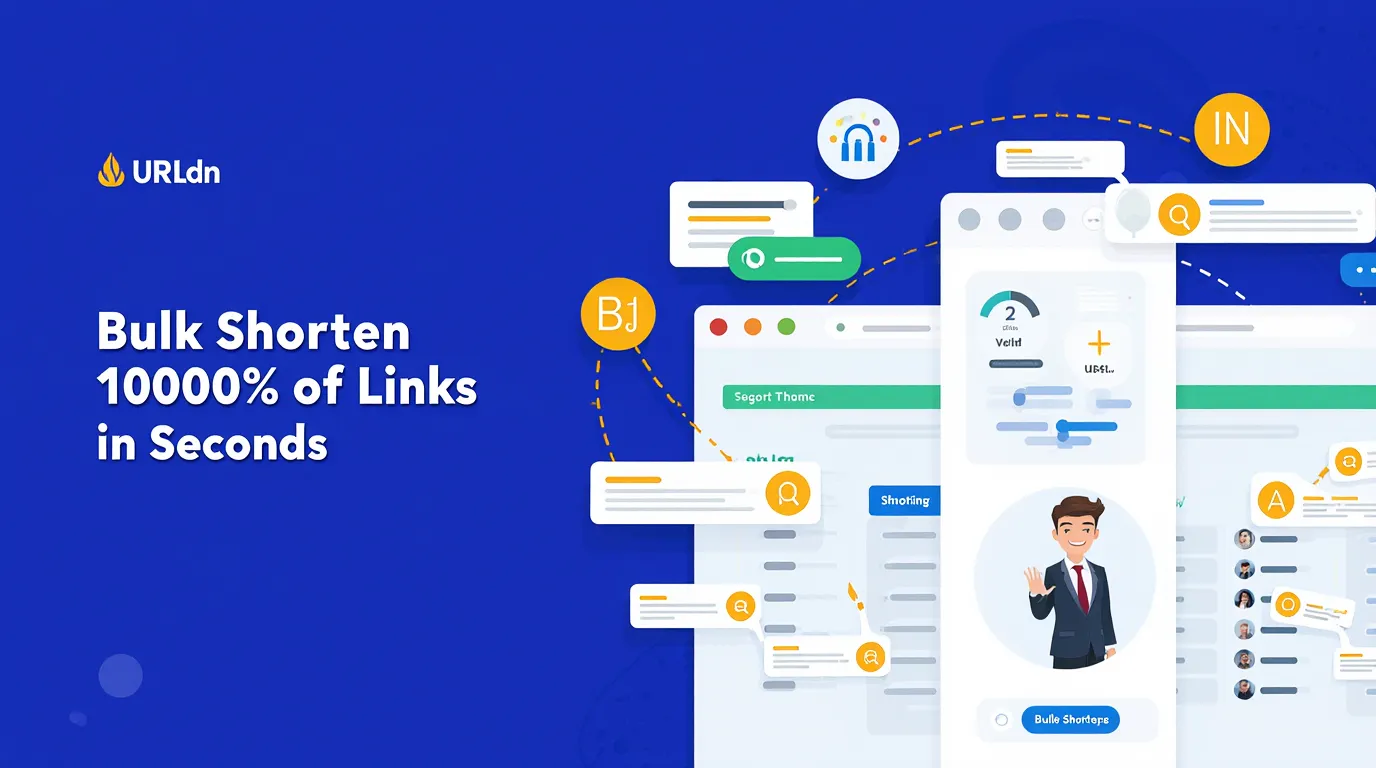
- URLdn — Bulk shortening available. Best choice if you want free analytics attached to every link in your batch.
Best free bulk URL shortener
For a free bulk URL shortener, T2M allows up to 50 total links on the free plan — not enough for large batches. URLdn is the better free option for bulk use: no hard link limits on basic shortening, with analytics and AI insights included on every link created.
Google Docs Link Shortener: How to Shorten URLs in Google Docs
Google Docs does not include a native URL shortener, but there are three practical ways to shorten links while working in a document:
Method 1: Use a browser extension
Install the URLdn browser extension. While on any page, click the extension icon to instantly shorten the current URL and copy it to your clipboard. Then paste the short link into your Google Doc. This is the fastest method — one click while you are already in the browser.
Method 2: Use a URL shortener in a separate tab
- Open urldn.com in a new browser tab
- Paste your long URL into the shortener input
- Add a custom alias if needed
- Copy the generated short link
- Switch back to your Google Doc and paste
Method 3: Google Apps Script automation (for power users)
If your team shortens links inside Google Docs regularly, you can automate this with a Google Apps Script that calls the URLdn API directly. The script can shorten any selected URL in the document with a single keyboard shortcut — no tab-switching required. This is the best approach for teams with high document volume.
Tip: In Google Docs, you can hyperlink display text using Ctrl+K (Windows) or Cmd+K (Mac). This means you can hide a long ugly URL behind clean anchor text in the document, with the shortened link as the destination — keeping the document readable regardless of URL length.
How to Shorten URLs: Step-by-Step Guide (2026)
Shortening a URL takes under 30 seconds. Here is how to do it using URLdn:
- Go to urldn.com — no account needed for basic shortening.
- Paste your long URL into the input field on the homepage.
-
Add a custom alias (optional) — instead of a random character string, type something memorable like
urldn.com/summer-saleorurldn.com/my-product. - Click Shorten — your short link is generated instantly.
- Copy and share — use the link in emails, social media posts, SMS, QR codes, or printed materials.
- Track your clicks — create a free account to see full analytics on every link you create, including the AI analyst feature.
Tips for better short links
- Use a descriptive custom alias that tells people where they are going —
/summer-salebuilds more trust than/x7k2p - Add UTM parameters to your destination URL before shortening — they pass through and appear in Google Analytics, letting you track campaign performance end-to-end
- Use a branded domain (for example
go.yourbrand.com) for links in professional materials, press releases, or paid ads - Set link expiration on time-limited campaigns so outdated links stop working automatically after the campaign ends
- Generate a QR code alongside every short link for use in print materials, event signage, and packaging — URLdn creates both at once
Frequently Asked Questions
What is the best free URL shortener in 2026?
URLdn is the best free URL shortener in 2026. The free plan includes click analytics, QR code generation, custom aliases, Link in Bio pages, and an AI analyst for plain-English link insights. Most competitors lock analytics behind paid tiers.
Which URL shortener has the best analytics?
For free analytics, URLdn is the strongest option — with real-time clicks, geographic data, device breakdown, referrer sources, and AI-powered insights all on the free plan. For enterprise-grade analytics with conversion tracking, BL.ink and ClickMeter lead the field. Short.io offers excellent depth at a mid-range price for developers.
Is Bitly still free in 2026?
Yes, Bitly still has a free plan in 2026, but it is now limited to 10 shortened links per month — down significantly from previous years. For users who need more than 10 links per month with analytics included, URLdn or Short.io are better alternatives at zero cost.
What is the best bulk URL shortener in 2026?
T2M is the best dedicated bulk URL shortener, with CSV import and export and permanent non-expiring links. For bulk shortening with free analytics on every link, URLdn is the better free option. Rebrandly and Bitly both support bulk creation via API on paid plans.
What is the best free link shortener with analytics?
URLdn is the best free link shortener with analytics in 2026. It tracks geographic click data, device breakdowns, referrer sources, and real-time click counts without any paid plan. The built-in AI analyst adds an additional layer — you can ask questions about your data in plain English and get instant answers.
How do I shorten a URL in Google Docs?
The fastest method is the URLdn browser extension — click it on any page to shorten the current URL instantly, then paste into your Google Doc. Alternatively, open urldn.com in a separate tab, shorten your URL there, and paste the result back into the document.
Are URL shorteners safe to use?
Reputable URL shorteners are safe. URLdn includes a link preview feature so recipients can see the destination before clicking, and the platform actively monitors shortened links for phishing and abuse. Always choose a shortener with transparent redirect policies and an abuse reporting mechanism.
Do short links expire?
It depends on the tool. URLdn and TinyURL links do not expire by default. Cuttly allows you to set optional expiration dates for campaign links. T2M guarantees permanent links with no expiry. Always verify the provider's expiry policy before using short links in printed materials, QR codes, or any permanent content.
Final Verdict: Which URL Shortener Should You Use in 2026?
The right URL shortener depends on your specific situation. Here is a quick decision guide:
- Best overall free option: URLdn — analytics, QR codes, AI insights, and custom aliases, all free
- Best for enterprises: Bitly or BL.ink
- Best for custom branded domains: Rebrandly
- Best for bulk shortening: T2M
- Best for conversion tracking: ClickMeter
- Best for Instagram and TikTok bio links: Shorby
- Best self-hosted option: Polr
Ready to streamline your link management? Start with URLdn for free — no credit card required, no account needed for your first link. Join the Pro waitlist for early access to custom branded domains, advanced dashboards, and API access.